Separate the numbers.
Keep physical stock and commitments visible together. Available means on hand minus reserved.
Stock. Reservations. Accountability.
What is on the shelf is only half the story. See what is reserved, what is moving and what your team can actually promise.
A clearer stock position. From receiving to the next sale.
Keep physical stock and commitments visible together. Available means on hand minus reserved.
Receipts, transfers, sales and returns belong in a connected history, with a reason behind each change.
Put availability beside incoming stock and replenishment rules before deciding what to order.
02 / THE REORDER DESK
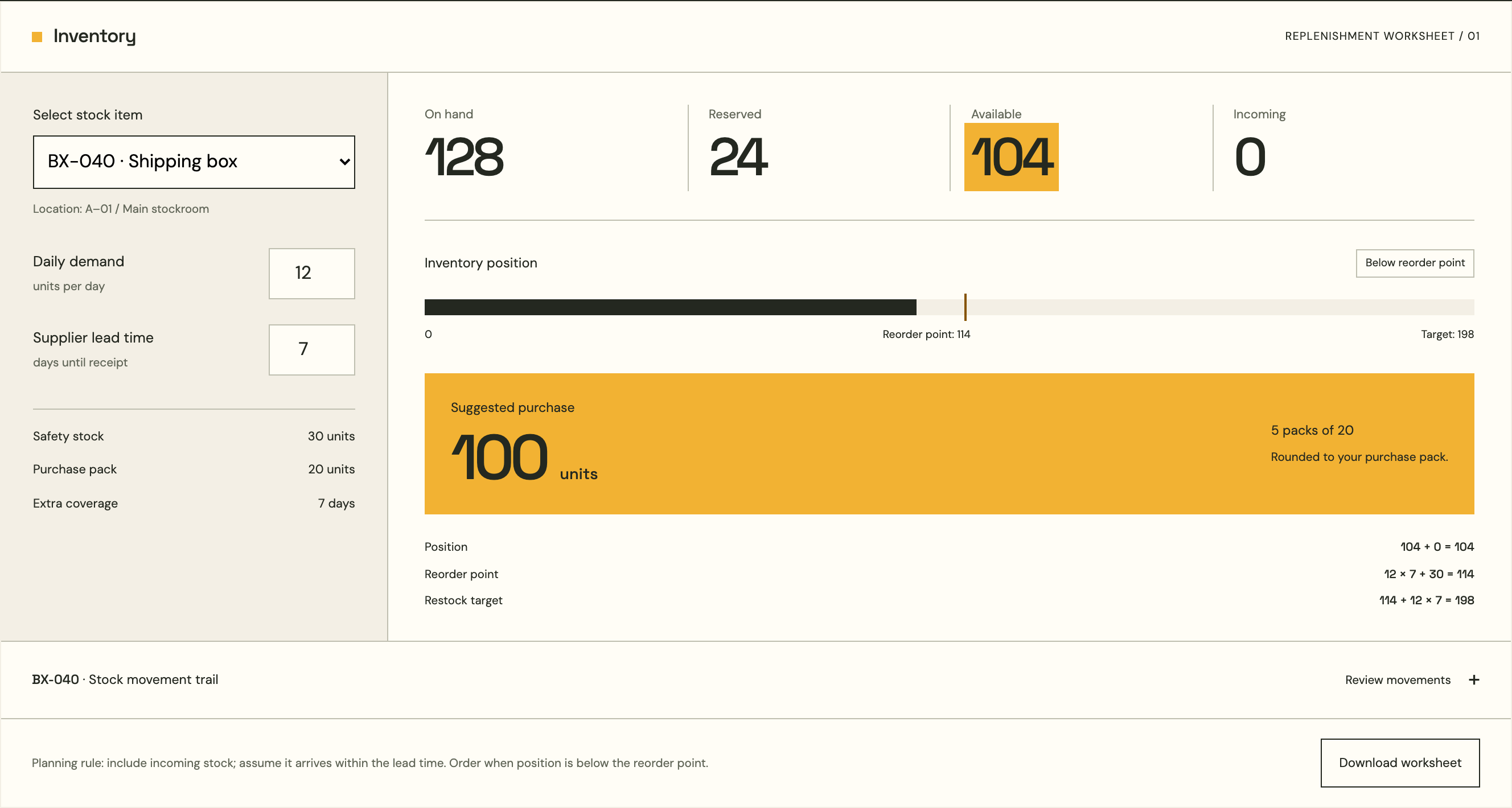
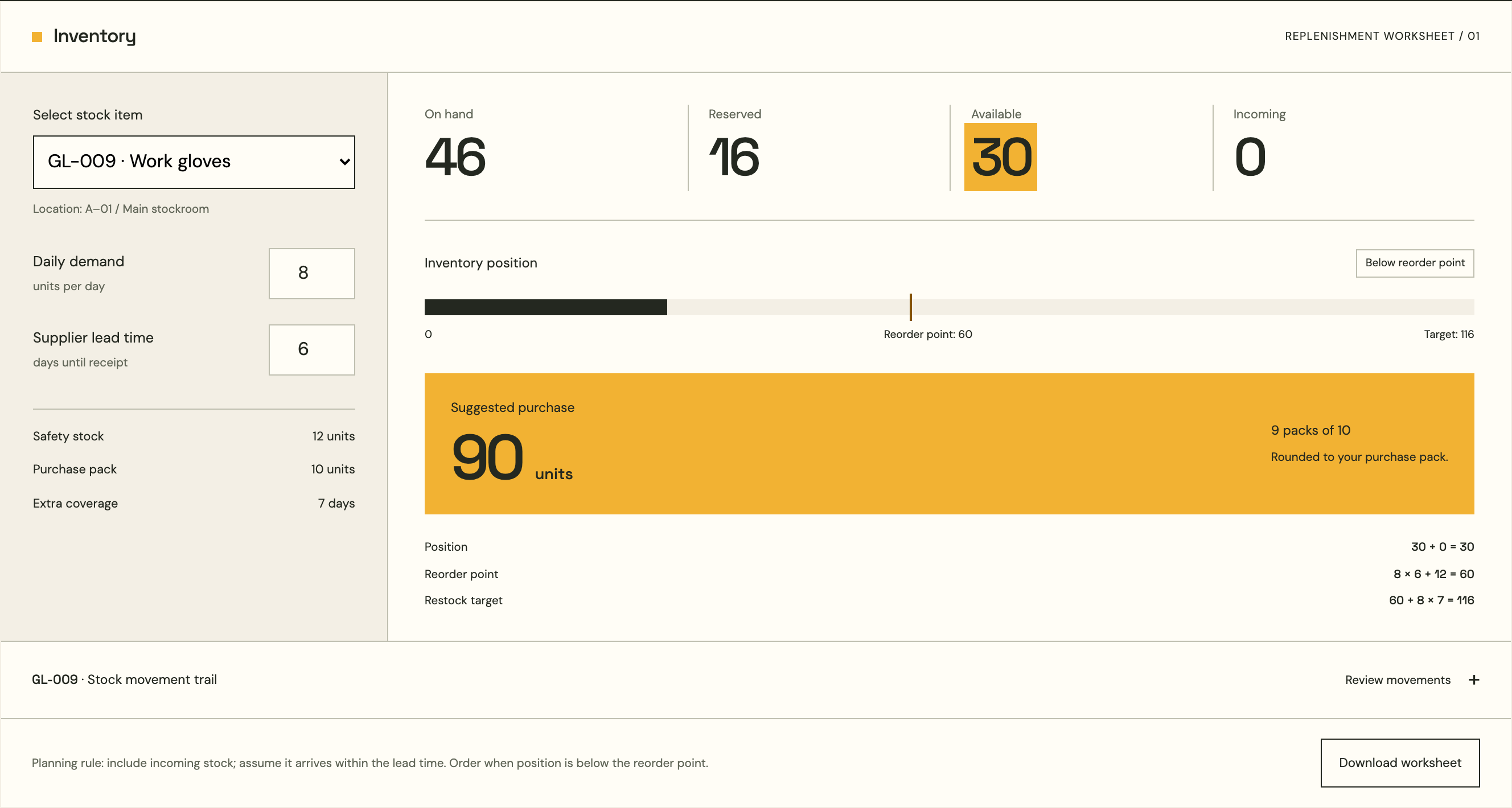
Choose an item. Adjust demand and lead time. See how your purchasing decision changes.
Location: A–01 / Main stockroom
Enter whole numbers: demand 0–1,000 and lead time 1–90 days.
Position104 + 0 = 104
Reorder point12 × 7 + 30 = 114
Restock target114 + 12 × 7 = 198
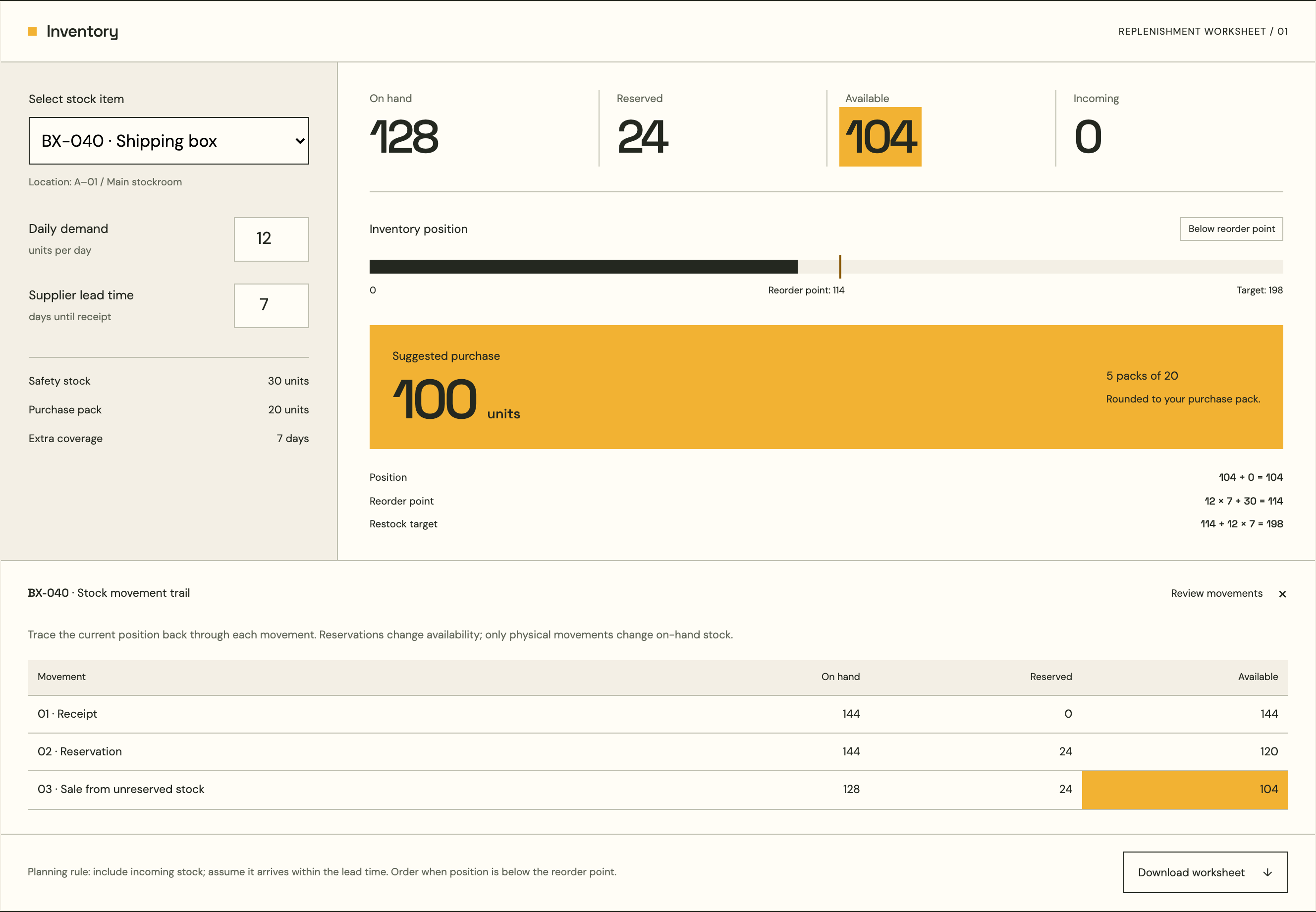
Trace the current position back through each movement. Reservations change availability; only physical movements change on-hand stock.
| Movement | On hand | Reserved | Available |
|---|---|---|---|
| 01 · Receipt | 144 | 0 | 144 |
| 02 · Reservation | 144 | 24 | 120 |
| 03 · Sale from unreserved stock | 128 | 24 | 104 |
Planning rule: include incoming stock; assume it arrives within the lead time. Order when position is below the reorder point.
03 / THE DECISION, IN VIEW
Purchasing needs more than a low-stock warning. Make the calculation visible, so your team can question the lead time, check incoming quantities and agree the next order.
04 / BUILT AROUND YOUR OPERATIONS
Start with the way your business receives, reserves, moves and sells stock. We shape the implementation around the quantities and responsibilities that matter.
Discuss your stock workflowAgree units of measure, location ownership and the starting quantities.
Map the movement trail, reservation rules and correction process.
Scope ERP, POS and warehouse handoffs against a shared stock record.
A closer look
PUT YOUR STOCK IN ORDER
Tell us how your stock moves. Let’s define your Inventory setup.